Back to Resources

Conversion

7 signs your website is losing you customers

Gergana7 min read

Most websites don't fail loudly. They lose customers slowly, one visitor at a time. People click in, can't figure out what you do, and leave.

Here are the seven warning signs we see most often, and the quick wins that fix them.

Key takeaways

  • Most lost leads have nothing to do with traffic, the visitors are already there.
  • Slow pages, unclear messaging, and broken contact forms quietly send people to your competitors.
  • If a visitor can't tell what you do in three seconds, they leave.
  • Almost every conversion problem can be fixed without a full redesign.
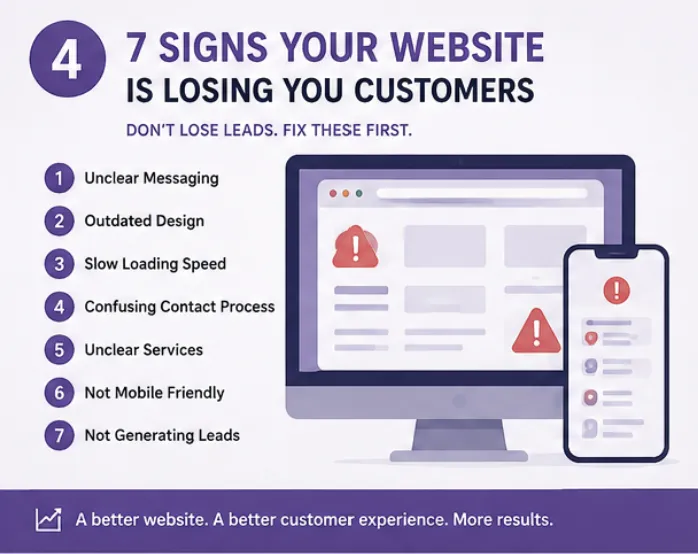
7 signs your website is losing you customers, unclear messaging, outdated design, slow loading, confusing contact, unclear services, not mobile friendly, not generating leads

Free download

7 Signs Your Website Is Losing Customers

A free checklist of the most common website problems that quietly cost you leads.

Download PDF

The 7 warning signs

  • Unclear messaging, visitors can't tell what you do in 5 seconds
  • Outdated design that signals 'we're not paying attention'
  • Slow loading speed, especially on a phone
  • Confusing contact process, too many steps, no obvious next action
  • Unclear services, one generic page instead of clear options
  • Not mobile friendly, text too small, buttons too close
  • Not generating leads, no clear call to action anywhere
Quick wins you can ship this week

  • Add a clear headline at the top of your homepage that explains your services in plain words
  • Simplify forms, name, email, message, done
  • Add 2 or 3 customer testimonials with first names
  • Compress large images so pages load fast
  • Make buttons bigger and use a contrasting color

Trust builders that work

  • Before-and-after examples from real projects
  • Real photos of you, your team, or your work
  • Client reviews with first names and locations
  • Local references that show you serve the area
  • FAQ sections that answer the questions you get every week

How do I know which problem to fix first?

Start with the homepage message and the contact form. If a visitor can't figure out what you do or how to reach you, nothing else matters.

Do I need a full redesign?

Almost never. Most conversion problems are fixed with clearer copy, simpler forms, and faster pages, not a rebuild.

How fast should my website load on mobile?

The first useful content should appear within 3 seconds on a phone over normal mobile data. Any slower and you lose visitors before they see your offer.

What is the ideal length for a contact form?

Ask only what you truly need to reply, usually name, contact method, and a short note. Every extra field reduces submissions.

How often should I review my website for these issues?

Every 3 months. Browsers update, phones change, and small things break quietly. A short quarterly check prevents most lost leads.

A better website means a better customer experience and more results. If you'd like a clear list of what to fix first on yours, share a quick overview and we'll take a look.

Contact

Want help with this for your business?

Start with a simple review and we'll help you understand the next best step for your business.